
Panasonic PT-FRQ50 Manual
Manual em PDF · 219 Páginas
Português


Verificação rápida
Resposta incorreta, tente novamente.
Converse com o manual do seu Panasonic PT-FRQ50 através de IA
Obtenha respostas instantâneas de IA a partir do manual do seu Panasonic PT-FRQ50
Pergunte qualquer coisa sobre o Panasonic PT-FRQ50. As respostas vêm deste manual, com as páginas nas quais se baseiam.
PT-FRQ50 Cronograma de manutencao
Retire o plugue da tomada e limpe-o regularmente com um pano seco para evitar o acúmulo de poeira, que pode causar incêndio.
Consulte seu revendedor sobre a limpeza interna do projetor a cada 20.000 horas de uso estimado para evitar incêndios devido ao acúmulo de poeira.
Remova sujeira e poeira com um pano macio e seco. Se a sujeira persistir, umedeça o pano com água e torça bem antes de limpar.
Remova sujeira e poeira da superfície frontal da lente com um pano macio e limpo. Não use força excessiva nem panos embebidos em óleo ou água.
Faça uma Pergunta
Você recomenda PT-FRQ50?
Sim NãoPerguntas Frequentes
The PT-FRQ50 uses Panasonic QUAD PIXEL DRIVE technology to display images at 3,840 x 2,160 pixels. The technology enhances projected resolution by shifting pixels in both horizontal and vertical directions.
Esta resposta foi útil?
The projector can provide up to 5,200 lumens when configured in Dynamic picture mode with specified light output and contrast settings. Actual brightness varies according to operating mode, environmental conditions, and selected settings.
Esta resposta foi útil?
Yes. The PT-FRQ50 supports 360-degree installation, including ceiling, table, portrait, front-projection, and rear-projection configurations. Its zoom, lens shift, and geometry tools help adapt the image to the installation space.
Esta resposta foi útil?
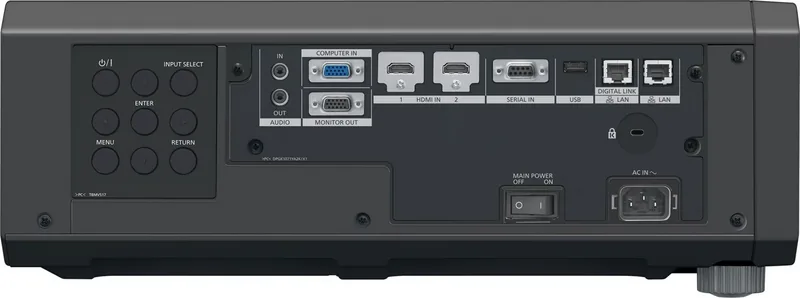
Connections include HDMI 1, HDMI 2, COMPUTER IN, MONITOR OUT, AUDIO IN, AUDIO OUT, USB, LAN, DIGITAL LINK/LAN, and RS-232C. These support common AV sources, control systems, networking, and selected USB functions.
Esta resposta foi útil?
Wireless networking is supported when the optional Panasonic AJ-WM50 series wireless module is connected. The module uses the 2.4 GHz band and should be configured with appropriate network security settings.
Esta resposta foi útil?
In Normal mode, the estimated time until brightness declines to about half can be approximately 20,000 hours. Eco mode can extend the estimate to approximately 24,000 hours, depending on usage and environment.
Esta resposta foi útil?
Vantagens e Desvantagens
Vantagens

- QUAD PIXEL DRIVE produces detailed 3,840 x 2,160 projection for sharp text, graphics, and video.
- Up to 5,200 lumens and 20,000:1 contrast support bright, high-impact commercial presentations.
- 2x zoom, lens shift, geometry correction, and 360-degree placement enable flexible installation.
- DIGITAL LINK, HDMI, LAN, RS-232C, PJLink, Art-Net, and web control support integrated AV systems.
- Laser light source offers long estimated operating life and reduced maintenance requirements.
Desvantagens

- Maximum brightness and contrast figures depend on specific picture mode and operating settings.
- Optional hardware is required for wireless LAN connectivity and certain installation configurations.
- 4K input over DIGITAL LINK has distance and transmitter compatibility limitations.
- Professional installation is recommended for ceiling mounting, network setup, and complex cable runs.
- Laser brightness declines over time, and internal servicing may be needed after extended use.
Produto Especificação
Tipo
DLP, 1x 1,65 cm
Fonte de luz
Laser
Resolução (exibida)
Ultra HD (3840x2160)
Resolução (nativa)
Full HD (1920x1080)
Brilho
-/5.200/4.100 lumens ANSI (Alto/Padrão/Eco)
Relação de contraste
20.000:1
Diagonal da imagem
102-762 cm
Relação de projeção
1,46:1-2,93:1
Deslocamento da lente
manual, vertical de -48% a +71%, horizontal de -27% a +34%
Conexões de vídeo
2x entrada HDMI, HDCP 2.3, 1x entrada VGA, 1x saída VGA
Conexões de áudio
1x entrada de linha estéreo (RCA), 2x entrada de conector de áudio, 1x saída de conector de áudio
Outras conexões
1x USB, 1x RJ-45, HDBaseT, 1x RS-232
Recursos especiais
upscaling 4K
Vida útil da lâmpada
20.000/24.000/- horas (Padrão/Eco/Eco+)
Nível de ruído
35/28 dB(A) (Padrão/Eco)
Consumo de energia
390/310 W (Padrão/Eco)
Dimensões
49,81x16,79x49,2 cm (LxAxP)
Peso
16,1 kg
Produto Descrição
Panasonic PT-FRQ50 - Leia, baixe e imprima gratuitamente
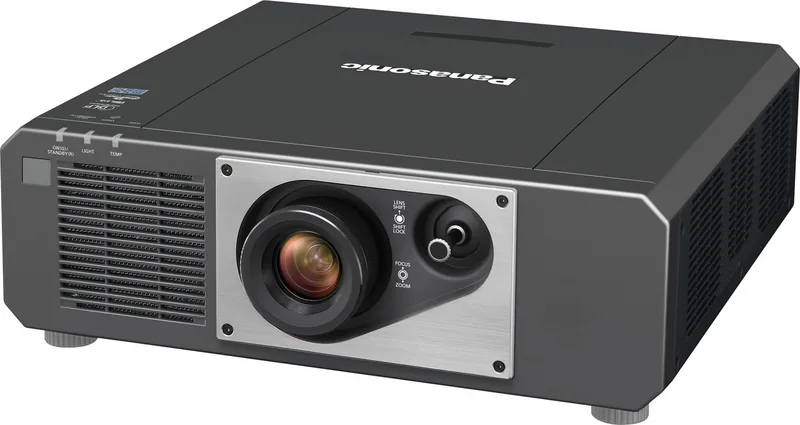
O Panasonic PT-FRQ50 e um projetor laser DLP profissional desenvolvido para ambientes exigentes de negocios, educacao, entretenimento e instalacao. Combinando a tecnologia QUAD PIXEL DRIVE da Panasonic com um chassi compacto, oferece projecao detalhada de classe 4K em ate 3.840 x 2.160 pixels. O sistema produz brilho declarado de 5.200 lumens e taxa de contraste de 20.000:1 em configuracoes especificadas, ajudando apresentacoes, videos e conteudos visuais a permanecerem claros e impactantes.
Projecao de alta resolucao com desempenho responsivo
Um dos principais pontos fortes do PT-FRQ50 e sua capacidade de reproduzir imagens suaves e de alta resolucao, com suporte para conteudo em movimento rapido. A tecnologia QUAD PIXEL DRIVE desloca pixels horizontal e verticalmente para criar uma imagem 4K altamente detalhada. As entradas HDMI suportam sinais 4K de ate 60 Hz, enquanto conteudos em 1080p podem ser processados em ate 240 Hz por meio de conexoes HDMI compativeis. Isso faz do projetor uma escolha pratica para apresentacoes, eventos ao vivo, simulacao, sinalizacao digital e outras aplicacoes em que a clareza do movimento e importante.
Instalacao flexivel para espacos profissionais
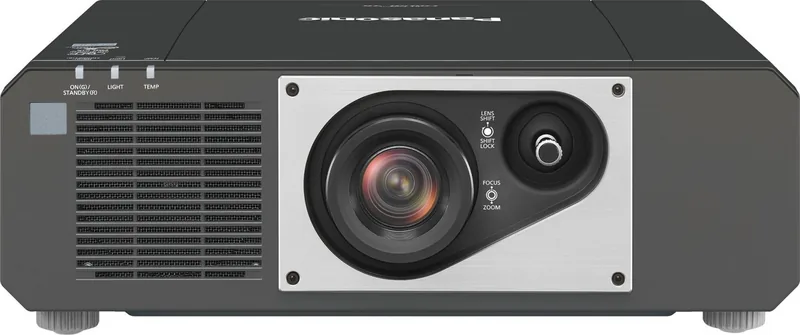
O Panasonic PT-FRQ50 oferece flexibilidade de instalacao com zoom de 2x, deslocamento da lente, correcao geometrica e suporte para orientacao de 360 graus. Pode ser usado sobre uma mesa, montado no teto, configurado para retroprojecao ou posicionado na orientacao vertical. Essas opcoes ajudam instaladores a adaptar o projetor a salas de reuniao, salas de aula, galerias, espacos comerciais e ambientes de palco.
Seu modo de operacao silenciosa e classificado em apenas 28 dB, tornando-o adequado para locais em que o baixo ruido do ventilador e importante. O projetor tambem inclui pes ajustaveis para instalacao no piso e suporta hardware de montagem opcional para uma instalacao profissional segura.
Conectividade e controle em rede
O projetor inclui conexoes HDMI, COMPUTER IN, USB, RS-232C, LAN e DIGITAL LINK/LAN. O DIGITAL LINK pode transportar sinais de video, audio, Ethernet e controle serial por uma unica conexao de cabo de par trancado compativel. As funcoes de rede oferecem suporte a controle baseado em navegador, PJLink, Art-Net, LAN com fio e conectividade LAN sem fio opcional.
Para organizacoes que gerenciam varios monitores, o suporte de software da Panasonic permite monitoramento, controle, transferencia de logotipos, alertas e copia de dados entre projetores compativeis. A compatibilidade com HDMI-CEC tambem oferece controle conveniente de dispositivos conectados compativeis.
Observacoes
- Use somente em ambientes internos e mantenha ventilacao adequada ao redor da unidade.
- Evite olhar diretamente para o feixe de projecao e mantenha criancas afastadas da area da lente.
- A rede sem fio opcional requer um modulo sem fio Panasonic compativel.
- Recomenda-se instalacao profissional para montagem no teto ou em locais elevados.
Pesquisar por 67.732 Manuais online


Digite a marca ou modelo