
Manual.ly Logo

Muse M-22 Manual

0,0 · 0 Avaliações

Manual em PDF · 15 Páginas

Português

M: OA-GPT-5-NAN
página

/ 15

Loading...
d976c30e977b2df99508530257acca3ac3c8 page 5
EN - 3 EN - 4
SPECIFICATIONS
POWER SUPPLY:
AC:
DC:
POWER CONSUMPTION:
OUTPUT POWER:
BLUETOOTH
Bluetooth Version: V5.0
Bluetooth:2.402-2.48GHz
RF Output Power: 0 dBm
Working Distance: Up to 10 meters measured in open space (wall and structures may a󰀨ect range of device)
Specications are subject to change without notice.
RADIO
FREQUENCY RANGE
FM:
AM(MW):
230V 50Hz
9V 6x 1,5 V type UM-2/R14/ ‘C’
14W
2 x 1 Watt RMS
87.5 - 108 MHz
522 - 1620 kHz
SAFETY
CAUTION:
To reduce the risk of electric shock, do not disassemble this product. The unit contains no
user serviceable parts inside . Refer all servicing to a qualied technician.
The lightning ash with arrowhead within a triangle alerts the user to the presence of “dangerous voltage” inside
the product.
The exclamation point within a triangle to alert the user to the presence of important instructions in the literature
accompanying the appliance.
WARNING: TO PREVENT FIRE OR SHOCK HAZARD, DO NOT EXPOSE THIS PRODUCT TO RAIN OR MOISTURE.
ATTENTION: Invisible when safety devices are open or defective laser radiation . Avoid exposure to beam.
Device class 1 laser.
ATTENTION!
- Ensure proper ventilation of the unit and do not cover the ventilation openings with items such as newspapers,
tablecloths, curtains, etc. .
- Do not put any heat sources , such as lighted candles , on or near the appliance .
- Use this unit in a temperate climate .
- Do not expose the unit to dripping or moisture .
- Ensure a minimum distance of 5 cm around the unit to allow adequate ventilation.
- Do not place objects lled with liquids, such as vases, on or near the appliance.
- The plate is located at the rear of this unit.
- The mains plug is used to disconnect the device and must be easily accessible. To completely remove power from the
unit, unplug the AC power plug from the outlet completely. The AC power plug can not be constrained and must be
easily accessible during use.
- As a result of electrostatic phenomena and / or electrical transients, the product may malfunction and reset may be
necessary.
- Do not expose the batteries to excessive heat such as direct sunlight, re or other sources of heat.
- Please respect the environment when disposing of used batteries.
- To prevent splashing, place objects lled with liquids, such as vases, near the product.
- Under the inuence of fast transient and / or electrostatic electric phenomenon, the product may malfunction and the
user must perform a power reset of the device.
- The normal function of the product may be disturbed by strong Electro-Magnetic Interference. If so, simply reset the
product to resume normal operation by following the instruction manual. In case the function could not resume, please
use the product in other location.
If you want to dispose this product, remember to recycle in a landll for household electric appliances. Learn
to know your recycling center nearest you. Check with local authorities or your dealer for details. (Directive on
Waste Electrical and Electronic Equipment )
CLASS 1 LASER PRODUCT
APPAREIL À LASER DE CLASSE 1
PRODUCTO LASER DE CLASE 1
PRODUTO LASER CLASSE 1
PROGRAM PLAYBACK
1. Insert the disc with the label facing up, into the compartment and close the CD door.
2. Press .
3. Press .
4. Select the desired track with or then press to save the program in memory.
5. Repeat step 4 until the end of your programming.
6. Press to start playback. This PROGRAM function is automatically cancelled when opening the CD door or shutdown
of the unit.
Note: CD up to 20 programs.
MAINTENANCE
CLEANING
CAUTION: Disconnect this device from any power source before cleaning.
- Use a soft, clean, dry cloth. Dust regularly ventilation holes on the back or sides of the apparatus.
- The use of solvents or abrasive products or with a basis of alcohol can damage the unit.
- If an object or liquid enters the unit, unplug it immediately and have it checked by an authorized engineer.
Notes on discs
* Do not use irregularly shaped discs (example : heart-shaped, octagonal ones). The unit may malfunction.
* Do not place more than one disc in the compartment.
* Do not attempt to open the disc tray during playback.
* Do not touch the lens. You could cause a malfunction.
* If the disc is scratched, dirty or smudged with ngerprints, the device may not work. Before playing, wipe the disc with a
cloth. Proceed from the center outwards. Do not store discs in places with high temperature or high humidity. They could
bend. After reading, replace the disc in its case.
IMPORTANT NOTE
Remove the disc from its compartment if the device is to be transported.
AUXILIARY INPUT ( AUX . IN)
1. Connect one end of the cable (not supplied) to the auxiliary input connector of the device.
AUX IN
2. Connect the other end of the cable to the headphones jack or the line out jack of your external audio appliance.
3. Press to select the auxiliary mode. « AUX » appears on the display. Normally use your external audio appliance;
the sound automatically goes through the speakers of your device.
4. Adjust the volume to the desired level.
5. Disconnect the external appliance from the auxiliary input to stop playback.
LISTENING TO DISC
1. Press to turn the unit on.
2. Open the CD door.
3. Insert the disc with the label facing up and then close the compartment.
4. Press to select the CD mode.
5. After a few seconds, the total number of tracks and the CD icon will appear on the display.
To:
- Pause Playback: Press once / PAIR
- Resume playback: Press again / PAIR
- Permanently stop playback: Press
- Search forward or backward: Press and hold or
- To skip to the next or previous track: press or
DISK ERROR
Note: If the disc is dirty, damaged or unreadable or if it is placed upside down, “NO” is displayed. If this happens, clean the
disc, insert the disc correctly or try another disc.
If you encounter CD playback problem, either of the following ways may help:
1. Turn o󰀨 the unit. Disconnect the AC power cord from AC outlet and reconnect it again.
2. Clean your CD disc.
REPEAT PLAYBACK
Repeatedly press to select one of the following playback modes. Track Repeat, Repeat All.
TO DISABLE THE REPEAT PLAYBACK
Press repeatedly until the repeat mode indicator disappears from the display. The repeat function is automatically
cancelled at the opening of the door of the CD or the shutdown of the unit.
NEW ONE S.A.S
10, Rue de la Mission, 25480 Ecole Valentin, France
RD-3353TC IB MUSE 001 REV2.indd 5RD-3353TC IB MUSE 001 REV2.indd 5 2023/5/17 15:38:342023/5/17 15:38:34

Converse com o manual do seu Muse M-22 através de IA

Obtenha respostas instantâneas de IA a partir do manual do seu Muse M-22

Pergunte qualquer coisa sobre o Muse M-22. As respostas vêm deste manual, com as páginas nas quais se baseiam.

M-22 Cronograma de manutencao

Regularmente
Limpar os orifícios de ventilação

Use um pano macio, limpo e seco para remover regularmente a poeira dos orifícios de ventilação na parte traseira ou lateral da unidade. Não cubra essas aberturas com objetos.

Mostrar no manual (pagina 5)
Antes de usar
Limpar o disco CD

Limpe o disco com um pano macio do centro para fora antes de reproduzir se estiver riscado, sujo ou com marcas de dedos.

Mostrar no manual (pagina 5)
M: QW-35-FL

Faça uma Pergunta

0/1000

Você recomenda M-22?

Sim Não

Perguntas Frequentes

A

O M-22 suporta reprodução de CD (CDs de áudio padrão), rádio FM e AM (MW), streaming sem fio via Bluetooth e uma entrada AUX para fontes de áudio externas com fio.

Esta resposta foi útil?

A

Selecione o modo Bluetooth na unidade, ative o Bluetooth no seu telefone e procure dispositivos. Escolha "M-22 BT" e confirme. Se solicitado, insira o PIN 0000. Um bipe e um ícone indicam emparelhamento bem-sucedido.

Esta resposta foi útil?

A

Sim. A unidade aceita seis pilhas 1,5V tipo C (UM-2/R14). Insira-as observando a polaridade e desconecte o cabo AC para operar com pilhas. Remova as pilhas se armazenar a unidade por longos períodos para evitar vazamentos.

Esta resposta foi útil?

A

Você pode sintonizar uma estação manual ou automaticamente, pressionar o botão de memória para selecionar um slot de pré-ajuste (por exemplo, P01) e salvar. Estações armazenadas sobrescrevem qualquer estação existente no número de pré-ajuste escolhido.

Esta resposta foi útil?

A

Se o visor mostrar um erro, limpe o disco do centro para a borda, verifique se está inserido com o lado impresso para cima, tente outro disco e, se necessário, desligue e religue a unidade desconectando e reconectando o cabo AC.

Esta resposta foi útil?

A

Bluetooth v5.0, frequência 2.402–2.480 GHz, saída RF 0 dBm. Alcance de até cerca de 10 metros em espaço aberto; obstáculos e paredes podem reduzir o alcance efetivo.

Esta resposta foi útil?

A

Sim. Mantenha a ventilação livre (deixe ~5 cm de folga), evite umidade e calor, desconecte a energia antes de limpar, use um pano seco e macio, evite solventes e recicle pilhas e a unidade conforme as regras locais.

Esta resposta foi útil?

M: OA-GPT-5-NAN

Vantagens e Desvantagens

Vantagens

  • Múltiplas opções de reprodução: CD, rádio FM/AM, Bluetooth v5.0 e entrada AUX.
  • Portátil com alimentação dupla: rede elétrica ou 6× pilhas C para uso em movimento.
  • Controles simples com pré-ajustes, reprodução programada (até 20 faixas) e modos de repetição.
  • Emparelhamento Bluetooth simples; o dispositivo aparece como "M-22 BT" e suporta streaming sem fio até 10 m.
  • Orientações de manutenção e cuidados com CDs incluídas; a unidade atende às normas de conformidade da UE aplicáveis.
VS

Desvantagens

  • Potência de saída limitada (2 × 1 W RMS) — não ideal para salas grandes ou audição em alto volume.
  • Mecanismo de CD sensível a discos riscados/sujos; formatos de disco irregulares não são suportados.
  • Operação com pilhas usa seis células C, que podem ser volumosas e caras para uso portátil frequente.
  • O alcance e desempenho do Bluetooth podem ser afetados por paredes e obstáculos; é recomendado linha de visão.
  • Conjunto de recursos básico sem aprimoramentos de áudio avançados (EQ, rádio digital ou apps de streaming).
M: OA-GPT-5-NAN

Produto Especificação

Formatos de áudio

CD-Audio, CD-R/RW

Sintonizador

FM, AM

Visor

LED, Hora

Conexões de áudio

Entrada AUX (jack de 3.5mm)

Sem fio

Bluetooth

Fonte de alimentação

Pilha C, Operação na rede elétrica

Características especiais

Antena telescópica

Peso

1,40 kg

M: GO-GEM-FL-25

Produto Descrição

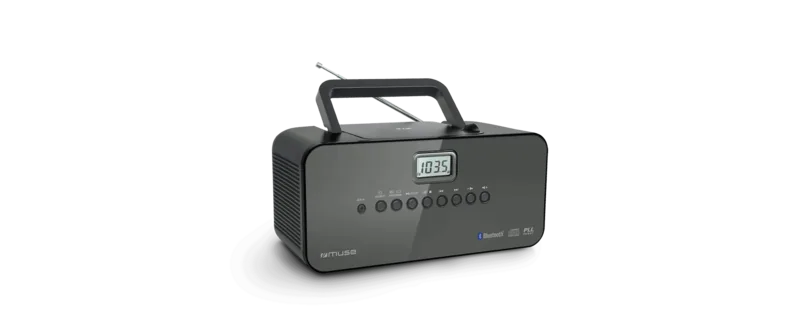
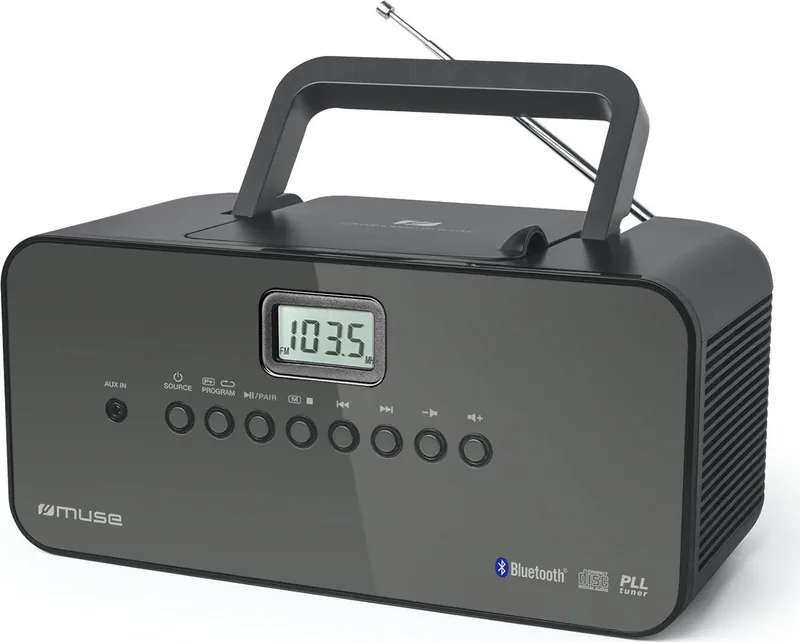
Muse M-22 — Rádio CD Bluetooth Compacto

O Muse M-22 é uma unidade de áudio portátil versátil que combina tocador de CD, rádio FM/AM, streaming Bluetooth e entrada AUX em um equipamento leve, alimentado por bateria ou por rede elétrica. Com antena telescópica FM, LCD de fácil leitura e alto-falantes frontais, destina-se a usuários que querem uma solução musical tudo-em-um simples para casa, viagem ou uso ao ar livre.

O leitor aceita CDs de áudio padrão (playlists programáveis de até 20 faixas), suporta pausa/parada/avançar e modos de repetição, e alerta sobre erros de disco devido a discos sujos ou danificados. As funções de rádio incluem sintonia manual e automática, pré-ajustes de estações e orientações para otimizar a recepção (estenda a antena para FM, gire a unidade para AM). O Bluetooth v5.0 oferece streaming sem fio até aproximadamente 10 metros em espaço aberto e emparelhamento manual usando o nome do dispositivo "M-22 BT" (PIN padrão 0000 quando solicitado).

As opções de energia são flexíveis: funcione com AC (230V~50Hz) ou seis pilhas tipo C para uso portátil. Observações sobre baterias e dicas de segurança são fornecidas — remova as pilhas quando a unidade não for usada por longos períodos, não misture tipos de pilhas e evite expor as pilhas ao calor. A unidade está em conformidade com as diretivas europeias relevantes e traz avisos de segurança padrão sobre umidade, ventilação, ótica de CD classe 1 a laser e instruções de descarte/reciclagem.

Os controles são simples: um único botão de fonte/ligar alterna entre FM, AM (MW), CD, Bluetooth e AUX; botões dedicados controlam tocar/pausar/parear, memória/pré-ajuste, sintonia/avançar, volume +/- e programa/salvar para reprodução de CD. A entrada auxiliar permite conectar fontes de áudio externas via cabo para reproduzir som pelos alto-falantes da unidade.

A manutenção é simples: desligue antes de limpar, use um pano seco e macio, evite solventes e mantenha as aberturas livres de poeira. Para cuidados com CDs, limpe os discos do centro para a borda, evite mídias de formatos irregulares e remova os discos antes de transportar a unidade.

Observações:

  • Bluetooth: V5.0, 2.402–2.48 GHz, saída RF 0 dBm, alcance até 10 m em espaço aberto.
  • CD: suporta reprodução programada (até 20 faixas), modos de repetição e tratamento padrão de erros de CD.
  • Energia: AC 230V 50Hz ou DC 9V via 6×1,5V pilhas C.

Resumo rápido

  • Rádio CD portátil com streaming Bluetooth e entrada AUX
  • Controles simples, pré-ajustes de estação e programação de CD
  • Alimentação dupla: rede elétrica ou pilhas; mecanismo de CD classe 1
M: OA-GPT-5-NAN

© Copyright 2026 Manual.ly