
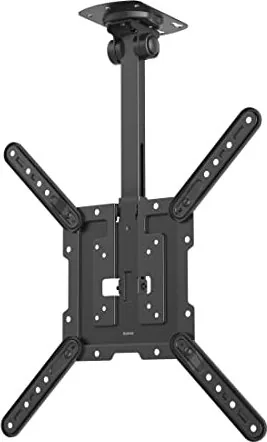
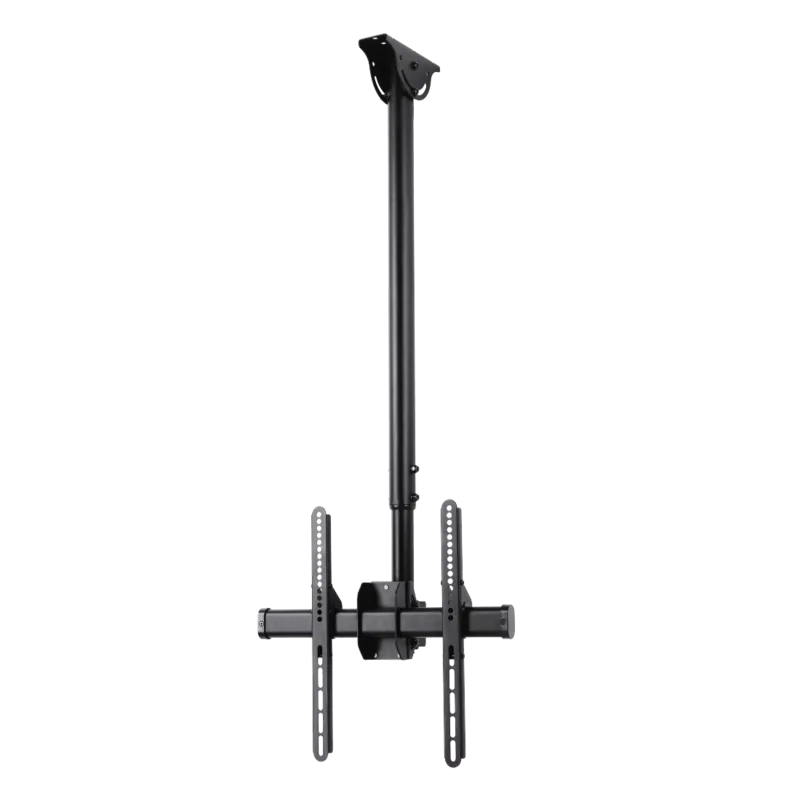
Hama TV Ceiling Mount Manual
Manual em PDF · 30 Páginas
Português



Verificação rápida
Resposta incorreta, tente novamente.
Converse com o manual do seu Hama TV Ceiling Mount através de IA
Obtenha respostas instantâneas de IA a partir do manual do seu Hama TV Ceiling Mount
Pergunte qualquer coisa sobre o Hama TV Ceiling Mount. As respostas vêm deste manual, com as páginas nas quais se baseiam.
TV Ceiling Mount Cronograma de manutencao
Verifique regularmente se o suporte está bem fixado e seguro para uso. Garanta que a capacidade máxima de carga não seja excedida e que a carga esteja distribuída simetricamente.
Use apenas água ou produtos de limpeza domésticos padrão para limpar o produto.
Lembretes de manutencao gratuitos
De acordo com a data de compra. Sempre gratuito, cancele a subscricao quando quiser.
Faça uma Pergunta
Você recomenda TV Ceiling Mount?
Sim NãoPerguntas Frequentes
As buchas de parede fornecidas são aprovadas apenas para paredes de concreto e tijolo maciço. Se você tem parede de gesso ou outros materiais, deve comprar materiais de montagem adequados com um revendedor especializado.
Esta resposta foi útil?
O suporte suporta uma capacidade de carga máxima de 40 kg. Não exceda este limite ou atenção cargas que excedam as dimensões máximas permitidas.
Esta resposta foi útil?
Sim, ferramentas específicas são necessárias. O texto menciona ferramentas necessárias, mas especifica que você precisa usar as partes do kit incluído e garantir que os parafusos tenham o comprimento adequado.
Esta resposta foi útil?
Você deve verificar se o produto está suficientemente seguro em intervalos regulares, pelo menos a cada três meses. Isso garante segurança e estabilidade.
Esta resposta foi útil?
Não, o produto é apenas destinado ao uso dentro de edifícios. Foi projetado para uso não comercial, uso doméstico privado apenas em ambientes internos.
Esta resposta foi útil?
O suporte segue o padrão VESA VESA 400x400. Outros padrões VESA mencionados incluem 400x300, 400x200 e 300x300 para configurações diferentes.
Esta resposta foi útil?
A Hama não assume responsabilidade por danos resultantes de instalação inadequada, mau uso ou falha em observar as instruções de operação.
Esta resposta foi útil?
Vantagens e Desvantagens
Vantagens

- Suporta telas grandes até 165 cm
- Alta capacidade de peso de 40 kg
- Permite alcance de rotação de 100 graus
- Compatível com o padrão VESA 400x400
- Inclui kit de instalação abrangente
Desvantagens

- Requer duas pessoas para instalação
- Buchas só funcionam em concreto ou tijolo
- Responsabilidade excluída para uso inadequado
- Necessita verificações de segurança regulares a cada três meses
- Sem garantia para danos de instalação
Produto Especificação
Tipo
Montagem na Parede
Número de Monitores
1
Tamanho da Tela
81,28-165,10 cm
Mobilidade
Gira (100 graus), ajuste de altura
Distância da Parede
60,00-69,39 cm
Capacidade de Carga
40,00 kg
Padrão VESA
75x75, 100x100, 200x100, 200x200, 200x300, 300x200, 300x300, 300x400, 400x200, 400x300, 400x400
Cor
Preto
Produto Descrição
Guia Completo para o Suporte de Teto Hama para TV
Transforme sua experiência de visualização aproveitando o espaço vertical de forma eficaz. O Suporte de Teto Hama para TV oferece uma solução elegante para fixar telas planas acima da sua cabeça. Ao consultar o Manual do Suporte de Teto Hama para TV, você ganha acesso a etapas detalhadas para uma instalação segura. Esta braçadeira acomoda telas entre 81 e 165 cm de tamanho. É perfeito para salas de estar ou áreas de entretenimento onde a montagem na parede não é uma opção. A unidade possui um alcance de rotação de 100 graus para ajudá-lo a encontrar o ângulo visual perfeito.
Especificações Técnicas
Esta braçadeira é construída para durabilidade e resistência. Ela suporta uma carga máxima de 40 kg. A placa de montagem segue o padrão VESA 400x400. A instalação requer o kit fornecido que inclui vários parafusos e buchas de parede. Certifique-se de que a estrutura da sua parede é adequada para o peso antes de começar. Você deve verificar se não há linhas elétricas ocultas na zona de montagem. As buchas fornecidas funcionam estritamente com superfícies de concreto e tijolo maciço. Se suas paredes forem diferentes, você deve adquirir materiais de montagem especializados de outra forma. Manter peças sobressalentes é recomendado para futuras mudanças ou atualizações.
Protocolos de Segurança
Instalar este produto requer cuidado. Você nunca deve aplicar força excessiva durante o processo. É aconselhável ter uma segunda pessoa para auxiliar na montagem. Nunca instale a unidade acima de lugares onde as pessoas possam ficar em pé ou sentadas. Depois de montado, verifique a estabilidade da carga regularmente. Realize essas verificações pelo menos a cada três meses para garantir segurança. Não exceda a capacidade de transporte máxima permitida. Mantenha a distância de segurança necessária em torno do dispositivo fixado. Se notar qualquer dano, remova a carga imediatamente. Descontinue o uso até que o produto seja reparado ou substituído. Certifique-se de que o produto não exceda sua capacidade de transporte máxima permitida e nenhuma carga excedendo as dimensões permitidas máximas seja fixada.
Ajuste e Manutenção
Ajustar a altura requer abrir os parafusos de fixação lateral. Defina a altura necessária e fixe os parafusos firmemente novamente. Use apenas água ou limpadores domésticos padrão para limpeza. A manutenção regular garante estabilidade a longo prazo. O fabricante exclui responsabilidade por danos causados por instalação inadequada. Siga sempre as instruções de funcionamento completamente. Manter o manual seguro é vital para reclamações de garantia ou solução de problemas.
Notas de Resumo
Este produto é apenas para uso doméstico não comercial em ambientes internos. Por favor, leia todas as seções do livro de instruções cuidadosamente. A instalação adequada garante a segurança de você e da sua televisão. Aproveite os benefícios de um ambiente livre de desordem com este suporte. Sempre siga as instruções para manter o status da garantia. Isso garante que você aproveite sua compra por anos sem problemas. Sua segurança é nossa prioridade durante e após a instalação.
Pesquisar por 67.732 Manuais online


Digite a marca ou modelo