
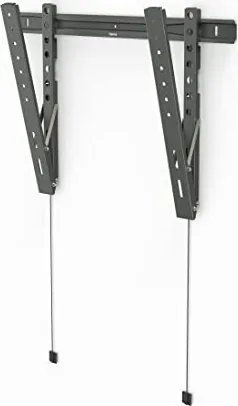
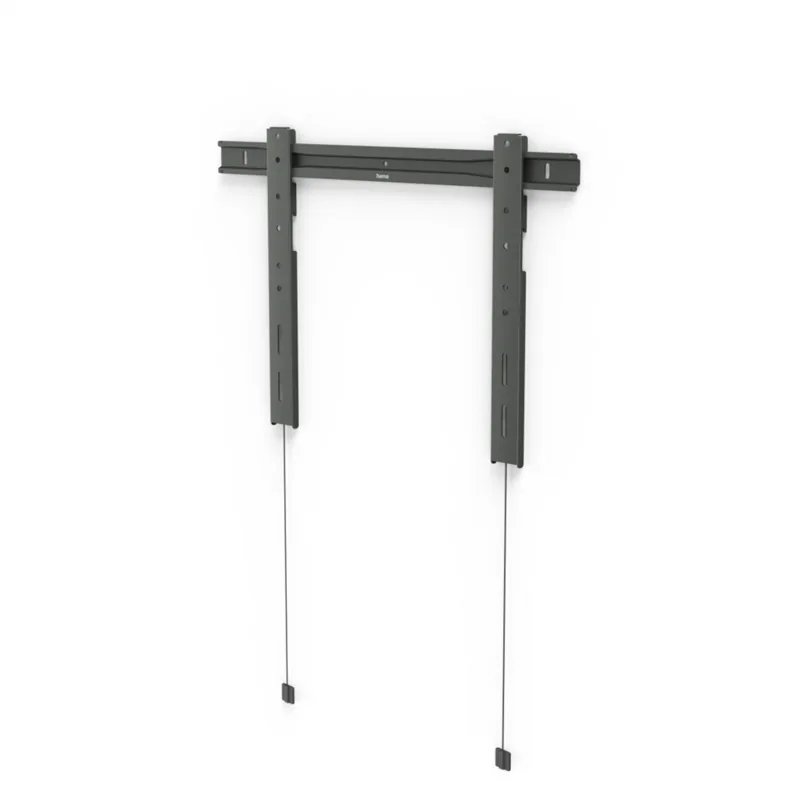
Hama Tilt Ultraslim Manual
Manual em PDF · 30 Páginas
Português



Verificação rápida
Resposta incorreta, tente novamente.
Converse com o manual do seu Hama Tilt Ultraslim através de IA
Obtenha respostas instantâneas de IA a partir do manual do seu Hama Tilt Ultraslim
Pergunte qualquer coisa sobre o Hama Tilt Ultraslim. As respostas vêm deste manual, com as páginas nas quais se baseiam.
Tilt Ultraslim Cronograma de manutencao
Verifique se o suporte esta firmemente fixado, nao excede a capacidade maxima de carga e nao apresenta danos. Repita esta verificacao pelo menos a cada tres meses.
Use apenas agua ou produtos de limpeza domesticos padrao para limpar o produto.
Lembretes de manutencao gratuitos
De acordo com a data de compra. Sempre gratuito, cancele a subscricao quando quiser.
Faça uma Pergunta
Você recomenda Tilt Ultraslim?
Sim NãoVocê recomenda Tilt Ultraslim?
Sim NãoPerguntas Frequentes
O produto suporta uma capacidade de carga máxima de 80 kg, adequado para telas de painel plano até 90 polegadas.
Esta resposta foi útil?
As buchas de parede fornecidas são aprovadas apenas para concreto e paredes de tijolo maciço. Para outros materiais, compre ancoragens adequadas de um vendedor.
Esta resposta foi útil?
Você deve verificar se o produto está montado com segurança em intervalos regulares, pelo menos a cada três meses, para garantir a segurança.
Esta resposta foi útil?
Não, você não deve montar o produto acima de locais onde pessoas possam permanecer para evitar lesões de dispositivos caindo.
Esta resposta foi útil?
Um kit de instalação é incluído com o suporte, mas você pode precisar de materiais adicionais dependendo do tipo de sua parede.
Esta resposta foi útil?
Não, o suporte é destinado apenas para uso dentro de edifícios e para uso doméstico privado.
Esta resposta foi útil?
Em caso de dano, remova a carga acoplada e pare de usar o produto imediatamente. Não tente novamente.
Esta resposta foi útil?
Vantagens e Desvantagens
Vantagens

- Suporta telas pesadas até 80 kg com construção estável.
- Profundidade ultrafina de 2 cm fornece uma aparência minimalista.
- Compatibilidade VESA cobre tamanhos até 600x400 mm.
- Inclui ajuste de inclinação para redução de brilho.
- Kit de instalação completo para paredes sólidas padrão.
Desvantagens

- Buchas de parede apenas se ajustam a concreto e paredes de tijolo maciço.
- Requer duas pessoas para instalação e ajuste seguros.
- Ângulo de inclinação é limitado a 15 graus para baixo.
- Verificações de segurança regulares a cada três meses são obrigatórias.
- Não adequado para ambientes comerciais ou externos.
Produto Especificação
Tipo
Montagem de Parede
Número de Monitores
1
Tamanho da Tela
93,98-228,60 cm
Mobilidade
Inclinável (-15 deg, 0 deg), Rotacionável (3 deg)
Distância da Parede
2,01 cm
Capacidade de Carga Máx.
80,00 kg
VESA
Mín. 50x50, Máx. 600x400
Recursos
Nível
Cor
Preto
Produto Descrição
Hama TILT Ultraslim Suporte de Parede para TV 600x400
Experimente conforto visual superior com o Hama TILT Ultraslim Suporte de Parede para TV 600x400. Este acessório elegante foi projetado para lares modernos que buscam estética limpa sem comprometer a estabilidade. Seu perfil ultrafino mede apenas dois centímetros de profundidade, garantindo que seu centro de entretenimento pareça impecável enquanto suporta telas pesadas sem esforço. O suporte acomoda painéis planos que variam de 37 a 90 polegadas, lidando com capacidade máxima de carga de 80 kg com confiança.
A instalação requer planejamento cuidadoso e as ferramentas corretas fornecidas no kit. A placa de parede mede 67,4 cm por 5 cm, aderindo aos padrões VESA até 600x400 milímetros. Embora o hardware incluído suporte paredes de concreto e tijolo maciço eficazmente, os usuários devem verificar a adequação da parede antes de perfurar. O recurso de inclinação ajustável permite um ângulo de inclinação para baixo de quinze graus, reduzindo o brilho para posições ótimas de visualização. Essa funcionalidade é crucial para montagem acima da altura dos olhos.
A segurança é primordial ao lidar com equipamentos eletrônicos pesados. Você nunca deve tentar essa instalação sozinho. Assistência de uma segunda pessoa garante que a unidade fique segura durante o processo. Verificações regulares são recomendadas a cada três meses para manter a integridade estrutural. Sempre certifique-se de que os parafusos estão bem apertados à mão e não excedam as dimensões especificadas. Nunca monte este produto onde indivíduos possam ficar de pé, pois objetos caindo representam riscos significativos. Sempre verifique a presença de fios elétricos ou encanamentos na área de montagem. Se encontrar incerteza, consulte um técnico qualificado ao invés de arriscar lesões pessoais. Não aplique força excessiva durante o processo.
A manutenção adequada mantém sua configuração segura por anos. Use apenas água ou produtos de limpeza domésticos comuns para remoção de poeira. Evite produtos químicos agressivos que possam danificar o acabamento. Se algum dano ocorrer, remova a carga imediatamente e cesse o uso. Não sobrecarregue o suporte com dispositivos que excedam os limites de peso permitidos. Mantenha o manual de instruções seguro para referência futura durante mudanças ou atualizações. Este suporte transforma seu espaço de vida em uma experiência de cinema.
A versatilidade deste produto se adequa a várias configurações de home theater. Ele suporta TVs planas e curvas desde que correspondam exatamente à profundidade e requisitos VESA. Espaçadores estão disponíveis para compensar costas irregulares em modelos específicos. Lembre-se de que as buchas fornecidas funcionam apenas para materiais sólidos como concreto. Outros tipos de parede precisam de ancoragens específicas compradas separadamente de comerciantes especializados. Nunca deixe a instalação inacabada, pois cria perigos. Certifique-se de que seus cabos permaneçam acessíveis após pendurar o dispositivo. Desfrute das suas telas com paz de sabendo que estão seguram no lugar por um design de engenharia confiável adequado apenas para uso doméstico privado.
A embalagem contém cada parafuso e bucha necessários listados nos diagramas. Verifique se nenhuma parte está faltando antes de iniciar o processo de montagem. Parafusos não usados devem ser mantidos com este guia. Algumas telas podem exigir parafusos mais longos do que os incluídos. O dispositivo não é destinado para uso comercial ou ambientes externos. Sempre verifique se o peso da sua tela corresponde estritamente ao limite de 80 kg. Siga os passos ilustrados precisamente para melhores resultados. Garanta seu espaço de visualização hoje com esta solução robusta de montagem projetada para durabilidade.
Pesquisar por 67.732 Manuais online


Digite a marca ou modelo