Manual.ly Logo

Edifier B700 Manual

0,0 · 0 Avaliações

Manual em PDF · 7 Páginas

Português

M: QW-35-FL
página

/ 7

Loading...
136baab1252c120cf86dd9b4c6fb8b20bd00 page 1
1. Optical/coaxial input
• Connect audio source (DVD, Set-Top Box, etc.) to "OPT/COAX" input port on the rear panel of the soundbar using fiber optic
audio cable or coaxial cable (coaxial cable not included);
• Press the " " power switch button on the soundbar or the "OPT/COAX" button on the remote control to switch to
optical/coaxial input. (The display window shows "OPT/COAX");
• Play music on the connected device and adjust the settings to a desired level.
2. AUX input
• Connect audio source to the "AUX" input port on the rear panel of the soundbar using a 3.5mm-RCA audio cable;
• Press the " " power switch button on the soundbar or the "AUX" button on the remote control to switch to AUX input.
(The display window shows "AUX");
• Play music on the connected device and adjust the settings to a desired level.
Note:
Only the standard PCM audio signals (44.1KHz/48KHz/96KHz/192KHz) and Dolby audio-coded signals function in
optical/coaxial input.
3. Bluetooth input
• Press the " " power switch button or the " " button on the soundbar to switch to Bluetooth input. Or press the " " button
on the remote control to switch to Bluetooth mode. The speaker will auto-enter Bluetooth pairing state. (The Bluetooth "BT"
icon will show and blink in the display window);
• Select "EDIFIER B700" in your device setting to connect. (The "BT" icon will show and constantly lit in the display window after
connected);
• Play music on the connected device and adjust the settings to a desired level.
Note:
1. PIN code for connection is "0000" if needed.
2. To enjoy all Bluetooth functions of this product, please ensure your device supports A2DP and AVRCP profiles.
1. HDMI OUT(ARC/eARC) mode:
• Connect the "HDMI ARC" connector on the TV to the "HDMI OUT(ARC/eARC)" output port on the back panel of the soundbar
using a 4K HD HDMI cable.
• Press the " " power switch button on the soundbar or the "HDMI ARC" button on the remote control to switch to HDMI ARC
input mode. (The display window shows "ARC");
• HDMI ARC will return the audio signal to the speaker via HDMI cable.
2. HDMI 1/HDMI 2 mode:
• Connect audio source (DVD, Set-Top Box, etc.) to "HDMI IN1" or "HDMI IN2" input port on the back panel of soundbar using
4K HD HDMI cable;
• Connect the "HDMI" connector on the TV to the "HDMI OUT(ARC/eARC)" output port on the back panel of the soundbar using
another HDMI cable. The audio source video signal will output to the TV. (Note: You have been supplied with one HDMI cable;
additional cables may be necessary);
• Press the " " power switch button on the soundbar or the "HDMI 1/2" button on the remote control to switch to HDMI 1 or
HDMI 2 input mode. (The display window shows "HDMI 1" / "HDMI 2").
Note:
1. All HDMI ports of the product support 4K video format.
2. Supports HDMI 2.1, HDCP, CEC, Dolby Vision
®
, HDR10+.
English
English
English
English
English
What’s in the Box
EN Important safety instruction
Excessively loud music may lead to hearing loss. Please keep the volume in a safe range.
Correct Disposal of this product. This marking indicates that this product should not be disposed with other
household wastes throughout the EU. To prevent possible harm to the environment or human health from
uncontrolled waste disposal, recycle it responsibly to promote the sustainable reuse of material resources. To return
your used device, please use the return and collection systems or contact the retailer where the product was
purchased. They can take this product for environmental safe recycling.
• Please read the instructions carefully. Keep it in safe place for future reference.
• Use only accessories approved by the manufacturer.
• Install the instrument properly by following the instructions in the device connection section.
• Using the product in a 0-35°C environment is recommended. Shipping and storing the product in a 0-35°C environment is
recommended.
• To reduce the risk of fire and electric shock, do not expose the product to rain or moisture.
• Do not use this product near water. Do not immerge the product into any liquid or have it exposed to dripping or splashing.
• Do not install or use this product near any heat source (e.g. radiator, heater, stove, or other devices that generate heat).
• Do not place any object filled with liquids, such as vases on the product; neither should any open fire, such as lighted candles
be placed on the product.
• Do not block any ventilation openings. Do not insert any object into ventilation openings or slots. It may cause fire or electric
shock.
• Keep sufficient clearance around the product to maintain good ventilation (minimum 5cm is recommended).
• Do not force a plug into the jack. Before connection, check for blockage in the jack and whether the plug matches the jack and
is oriented to the right direction.
• Keep the provided accessories and parts (such as screws) away from children to prevent from being swallowed by mistake.
• Do not open or remove the housing yourself. It may expose you to dangerous voltage or other hazardous risks. Regardless
the cause of damage (such as damaged wire or plug, exposure to liquid splash or foreign object falling in, exposure to rain or
moisture, product not working or being dropped, etc.), the repair has to be performed by an authorized service professional
immediately.
• Before cleaning the product with dry cloth, always turn off the product and disconnect the power plug first.
• Never use strong acid, alkali, gasoline, alcohol, or other chemical solvents to clean the product surface. Use only neutral
solvent or clear water for cleaning.
• The product must be used at an altitude of lower than 2000m.
• Do not connect this product to the same power outlet used by an appliance controlled by an inverter or motor (such as a
refrigerator, washing machine, microwave oven or air conditioner). Power supply noise may cause this product to malfunction
or produce significant noise based on how the appliance is used. If it is not accessible to use a separate power outlet, please
connect a power noise filter between this product and the power outlet.
User manual
Subwoofer
4K HD HDMI cable
Remote control
AAA battery x1 Plastic wall anchor x5 Hook x2
Screw for wall mounting x5
(KA5x40)
3.5mm-RCA audio cable
16. Soundbar pairing button on the subwoofer
The B700 Soundbar has been paired with the subwoofer
before leaving factory. The wireless connection is supposed
to resume automatically when both active speaker and
subwoofer are powered on, and the red indicator will be
constantly lit. If the wireless connection fails to resume,
please follow the steps below to complete the pairing again.
• Power on the subwoofer, the status indicator should blink
slowly, which means no active wireless connection;
• Press the "PAIR" button on the back panel of the
subwoofer to put it into pairing mode. The status indicator
will blink rapidly;
• Press the "PAIR" button on the back panel of the active
speaker, or press and hold the " " button for 3s on the
remote control to put it into pairing mode. The "PAIR" icon
will show and blink rapidly in the display window;
• Wait until the status indicator on the subwoofer is lit
constantly and the "PAIR" icon is lit for 2s in the display
window on the active speaker. Then the pairing is done and
a wireless connection is made.
17. Status indicator
18. Power switch
19. Power cable port
1. As the illustration shows, press the remote control battery
cover downward with thumb and follow the arrow direction
to remove the cover, insert a AAA battery into it(note the
"+" and "-" pole).
2. The batteries life are normally about 6 months; please
replace them when the remote control is not sensitive or
the control distance is shortened.
3. Never use old and new batteries together.
Note:
1. Do not place the remote control in places that are hot and
humid.
2. Do not charge the batteries.
3. Remove the batteries when unused for a long period of time
to avoid batteries leakage.
4. The batteries should not be exposed to excessive heat such
as direct sun, fire or similar.
5. Danger of explosion if batteries are incorrectly replaced.
Replace only with the same or equivalent type.
Adhere the wall mount bracket to an appropriate position on the wall and align the centerline of the wall mount bracket with that
of the TV, then mark 4 holes.
Note: Please make sure the wall can withstand the weight of this product. Improper installation may lead to accidents, injuries or
product damage.
Drill 4 holes (Depth: 40mm, Hole size: 8mm) in the wall, then knock wall anchor into holes.
Note:
Dimension of the hole may vary depending on wall materials, please adjust drill size to existing conditions for proper installation.
Align mounting bracket with the holes and use included screws to fix wall mount bracket.
Note: The included screws are only suitable for walls of concrete and brick structure, not for walls with gypsum board, foam
composite board and wood structure. Please consult a professional to ensure safety if you need to install in gypsum board and
wooden structure walls.
Remove the two screws on the back of the soundbar, fix 2 included hooks on it, and then hang the soundbar on the wall mount
bracket.
Note: Please make sure all audio cable connections are secure before mounting the speaker.
Warning:
1. Please follow installation instructions to avoid damage to your product.
2. Please make sure the mounting height is lower than 2m.
Fiber optic audio cable Power cable x2 Power adapter
Soundbar
Wall mount bracket
Connection
Soundbar Wall Mount Bracket Installation
Power output: L/R/C: 15W+15W+15W
Ls/Rs: 15W+15W
Ltm/Rtm: 15W+15W
Subwoofer: 70W
Frequency response:
45Hz-20KHz
Audio input:
HDMI 1, HDMI 2, Optical, Coaxial, Bluetooth, AUX
Audio output:
HDMI OUT (ARC/eARC)
Power adapter information:
Manufacturer: EDIFIER
Model: ADT-60180
Input: 100-240V~50/60Hz 1.5A
Output: 18V 3A
Declaration for EU
Frequency Band (Bluetooth): 2.402GHz ~ 2.480GHz
Frequency Band (5.8G): 5.725GHz ~ 5.820GHz
RF Power Output (Bluetooth):
≤
10 dBm (EIRP)
RF Power Output (5.8G):
≤
14 dBm (EIRP)
There is no restriction of use.
Note:
• Images are for illustrative purposes only and may differ from the actual product.
• For the need of technical improvement and system upgrade, information and specifications contained herein may be slightly
different from actual product. If any difference is found, the actual product prevails.
No sound
• Check if the speaker is ON.
• Try to turn up the volume using the volume control or remote control.
• Ensure the audio cables are firmly connected and the input is set correctly on the speakers.
• Check if there is a signal output from the audio source.
Cannot connect via Bluetooth
• Make sure the speaker is switched to Bluetooth input. If it is in other audio input modes, Bluetooth will not
connect. Disconnect from any Bluetooth device by pressing and holding the " " button, then try again.
• Effective Bluetooth transmission range is 10 meters; please ensure that operation is within the range.
• Try another Bluetooth device for connection.
The B700 does not turn on
• Check if main power is connected, or if the wall outlet is switched on.
Noise coming from speakers
• EDIFIER speakers generate little noise, while the background noise of some audio devices are too high.
Please unplug audio cables and turn the volume up, if no sound can be heard at 1 meter away from the
speaker, then there is no problem with this product.
To learn more about EDIFIER, please visit www.edifier.com
For EDIFIER warranty queries, please visit the relevant country page on www.edifier.com and review the section
titled Warranty Terms.
USA and Canada: [email protected]
South America: Please visit www.edifier.com (English) or www.edifierla.com (Spanish/Portuguese) for local
contact information.
* This plug type is meant for illustration purpose only.
Operating Instructions
English
English
English
Troubleshooting
Specifications
Manual
B700
Soundbar
Subwoofer
Mark the position of the punch hole
Fix wall mount bracket
Place soundbar on the wall mount bracket
HDMI output
(ARC/eARC)
HDMI 1 input
HDMI 2 input
AUX input
Optical input
Drill hole in the wall
●
HDMI input/output
●
Audio input
●
The "BT" icon will show and constantly
lit in the display window
Dolby Atmos
®
This product supports Dolby Atmos
®
.
Dolby Atmos
®
produces astonishing audio experiences by its advanced technology and all-around audio configuration featuring
overhead speakers.
1. Dolby Atmos
®
is only available in HDMI mode
2. Make sure the audio and video source content is Dolby Atmos
®
3. Make sure that "Bitstream or RAW" format is selected for the audio output when using a Blu-ray DVD player or other devices
4. When reading Dolby Atmos
®
/Dolby
®
Digital/PCM format, the soundbar displays DOLBY ATMOS/DOLBY AUDIO/PCM respectively
Dolby Vision
®
This product supports transmitting video signals of Dolby Vision
®
Compatible.
Dolby Vision
®
Compatible revolutionizes your viewing experience in theaters and on TV with breathtaking brightness, contrast
ratio and color.
Dolby technology
●
(same operation for the "11" point)
16
19
17
1
8
1
2
A B AB
B
3
4
VOICE
MOVIE MUSIC
GAME
HDMI 1/2 HDMI ARC
OPT/COAX AUX
BASS TREBLEVOLUME
VOICE
MOVIE MUSIC
GAME
HDMI 1/2 HDMI ARC
OPT/COAX AUX
BASS TREBLEVOLUME
or
or
or
VOICE
MOVIE MUSIC
GAME
HDMI 1/2 HDMI ARC
OPT/COAX AUX
BASS TREBLEVOLUME
VOICE
MOVIE MUSIC
GAME
HDMI 1/2 HDMI ARC
OPT/COAX AUX
BASS TREBLEVOLUME
EDIFIER B700
VOICE
MOVIE MUSIC
GAME
HDMI 1/2 HDMI ARC
OPT/COAX AUX
BASS TREBLEVOLUME
English
Use only with the cart, stand, tripod, bracket, or table specified by the manufacturer, or sold with the apparatus.
When a cart is used, use caution when moving the cart/apparatus combination to avoid injury from tip-over.
This symbol is to alert the user to the presence of un-insulated dangerous voltage within the product's enclosure
that may be of sufficient magnitude to constitute a risk of electric shock to persons.
This symbol is to warn the user not to disassemble the enclosure of the product and there is no user-replaceable
part inside. Take the product to an authorized service center for repair.
This symbol indicates that the product is a CLASS II or double insulated electrical device with no earth requirement.
For wireless product:
1.
Wireless product may generate shortwave radio frequencies and interfere with the normal use of other electronic devices or
medical equipment.
2. Turn off the product when it’s disallowed. Do not use the product in medical facilities, on airplane, at gas stations, near
automatic gates, automatic fire alarm system or other automated devices.
3. Do not use the product in the vicinity of a pacemaker within a 20cm range. The radio waves may affect the normal operation
of the pacemaker or other medical devices.
This symbol indicates that the product is for indoor use only.
Power warning:
1. Place the product near the power outlet for easy use.
2.
Before use, make sure that the operating voltage is the same as your local power supply. Correct operating voltage can be found
on the product plate.
3. For safety purpose, unplug the product during lightning storms or when unused for extended periods of time.
4. Under normal conditions, the power supply may get hot. Please keep good ventilation in the area and exercise caution.
5. Product nameplate and safety warning labels on the housing or bottom of the product or power adaptor.
The MAINS plug is used as the disconnect device, the disconnect device shall remain readily operable.
1. Power on/off
2. Sound effect mode
MOVIE mode
MUSIC mode
VOICE mode
GAME mode
3. Mute/mute off
Press: mute/mute off
Press and hold for 3s: soundbar pairing button
4. Dimmer
Adjust the brightness of the display window
5. Bluetooth input
Press: Bluetooth input
Press and hold: disconnect Bluetooth (Bluetooth mode)
6. Previous track/next track
(Bluetooth connected)
7. Volume control
8. Play/pause
(Bluetooth connected)
9. Treble volume control
10. Bass volume control
11. HDMI output (ARC/eARC)
12. HDMI 1/HDMI 2 input
13. AUX input
14. Optical/coaxial input
Remote Control
1
3
5
7
9
10
13
12
14
2
4
6
11
8
VOICE
MOVIE MUSIC
GAME
HDMI 1/2 HDMI ARC
OPT/COAX AUX
BASS TREBLEVOLUME
Functional Operation
1. Display window
2. Receiver window for remote control
3. Bluetooth input
Press: Bluetooth input
Press and hold: disconnect Bluetooth (Bluetooth connected)
4. Volume down
Press: volume down
Press and hold: previous track (Bluetooth connected)
5. Volume up
Press: volume up
Press and hold: next track (Bluetooth connected)
6. Power switch/mode switch button
Press: switch mode “HDMI ARC → HDMI 1 →
HDMI 2 → OPT → COAX → Bluetooth → AUX”
Press and hold: power on/off
7. eARC/ARC output
8. HDMI IN1 input
9. HDMI IN2 input
10. Power cable port
11. Subwoofer pairing button on the soundbar
12. USB port (service only)
13. Optical input
14. Coaxial input
15. AUX input
1 2
3
4
5
6
8
9
7
121110
13
15
14
Soundbar
Front view
Top view
Back view
●
NOTICE:
For the need of technical improvement and system upgrade, information contained herein may be subject to change from time
to time without prior notice.
Products of EDIFIER will be customized for different applications. Pictures and illustrations shown on this manual may be slightly
different from actual product. If any difference is found, the actual product prevails.
Model: EDF100026
Edifier International Limited
P.O. Box 6264
General Post Office
Hong Kong
Tel: +852 2522 6989
Fax: +852 2522 1989
www.edifier.com
© 2022 Edifier International Limited. All rights reserved.
Printed in China
@Edifier_Global @Edifier_Global@Edifierglobal
For more information, please visit our website:
www.edifier.com

Converse com o manual do seu Edifier B700 através de IA

Obtenha respostas instantâneas de IA a partir do manual do seu Edifier B700

Pergunte qualquer coisa sobre o Edifier B700. As respostas vêm deste manual, com as páginas nas quais se baseiam.

B700 Cronograma de manutencao

Lembre-me quando a manutencao for necessaria
A cada 6 meses
Substituir a pilha do controle remoto

A vida útil da pilha AAA é normalmente de cerca de 6 meses. Substitua-a quando o controle remoto ficar insensível ou a distância de controle diminuir.

Mostrar no manual (pagina 1)
Conforme necessário
Limpar a superfície do produto

Desligue e desconecte o produto antes de limpar com um pano seco. Use apenas solvente neutro ou água clara; nunca use ácidos fortes, álcalis, gasolina ou álcool.

Mostrar no manual (pagina 1)

Lembretes de manutencao gratuitos

De acordo com a data de compra. Sempre gratuito, cancele a subscricao quando quiser.

Ao enviar, concorda com a politica de privacidade. Cancele a subscricao com um clique em qualquer e-mail.
M: qwen/qwen3.8-flash

Faça uma Pergunta

0/1000

Você recomenda B700?

Sim Não

Perguntas Frequentes

A

Use um cabo HDMI para conectar a porta HDMI ARC da TV à porta HDMI OUT ARC do Soundbar. Ou conectar via cabo Óptico para sinal de áudio. Se preferir uma configuração mais simples, certifique-se de que o modo HDMI ARC seja selecionado no controle remoto para controlar o volume com o controle remoto da TV. Verifique a janela de exibição para confirmação ARC para garantir conexão bem-sucedida.

Esta resposta foi útil?

A

Sim, o B700 suporta tecnologia Dolby Atmos. Isso está disponível apenas no modo HDMI ao conectar a uma fonte que transmite conteúdo Dolby Atmos. Certifique-se de que a porta HDMI seja usada para saída de sinal de áudio e vídeo para utilizar a experiência de áudio imersivo adequadamente na sua configuração de TV compatível.

Esta resposta foi útil?

A

O código PIN padrão para conexão Bluetooth é 0000 se o dispositivo solicitar senha durante o processo de pareamento. Selecione EDIFIER B700 nas configurações do seu dispositivo para iniciar a conexão. Aguarde até que o ícone BT apareça constantemente aceso na janela de exibição para confirmar que o link foi estabelecido com sucesso.

Esta resposta foi útil?

A

Ambas as unidades são pré-pareadas na fábrica. Se a conexão falhar, ligue o subwoofer e pressione o botão PAIR na parte traseira do soundbar ou segure o botão mute por 3 segundos no controle remoto. Aguarde os indicadores pararem de piscar, mostrando uma conexão constante. Certifique-se de que ambos os dispositivos estejam conectados durante este processo.

Esta resposta foi útil?

A

Não, os parafusos incluídos são apenas adequados para estruturas de concreto e tijolo. Instalar em gesso ou madeira pode exigir assistência profissional para garantir segurança e prevenir riscos de queda. Consulte um instalador profissional se as suas paredes não forem feitas de concreto padrão ou tijolos para estabilidade adequada de montagem.

Esta resposta foi útil?

A

Os canais principais entregam 15W cada para alto-falantes esquerdo, direito e central. Os canais surround são 15W cada e o subwoofer fornece 70W de potência. Esta configuração garante cobertura sonora balanceada em todo o ambiente sem exigir amplificadores externos para cenários típicos de uso de home theater efetivamente.

Esta resposta foi útil?

M: QW-35-FL

Vantagens e Desvantagens

Vantagens

  • Suporta Dolby Atmos para experiência de áudio 3D imersiva no modo HDMI com alto-falantes acima da cabeça.
  • Inclui um potente subwoofer sem fio de 70W para graves profundos e resposta de baixa frequência.
  • Possui saídas HDMI ARC e eARC para conexão simplificada de um cabo à TV.
  • Múltiplas opções de entrada incluindo Bluetooth 5.8G e Óptico Coaxial para vários dispositivos.
  • Kit de montagem na parede completo incluído para instalação flexível e economia de espaço.
VS

Desvantagens

  • Cabo coaxial não está incluído na caixa para conexões ópticas/coaxiais.
  • Parafusos de montagem são adequados apenas para paredes de concreto ou tijolo, não drywall.
  • Pareamento do subwoofer é necessário manualmente se a conexão da fábrica falhar para retomar.
  • Porta USB é apenas para fins de serviço e não suporta reprodução de mídia.
  • Montagem na parede requer perfuração de furos de 8mm o que pode danificar superfícies de parede delicadas.
M: QW-35-FL

Produto Especificação

Tipo

Barra de som com Subwoofer

Canais

5.1.2

Potência

174W RMS

Faixa de Frequência

45Hz - 20kHz

Decodificador de Áudio

Dolby Atmos

HDR

Dolby Vision, HDR, HDR10, HDR10+

Conexões de Vídeo

2x Entrada HDMI, 1x Saída HDMI 2.1

Conexões de Áudio

eARC, 1x Entrada de Áudio Digital (coaxial), 1x Entrada de Áudio Digital (óptico), 1x Entrada AUX (conector de 3,5mm)

Sem Fio

Bluetooth 5.0

Cor

Preto

Dimensões

84,99 x 7,01 x 11,99 cm (LxAxP)

Dimensões do Subwoofer

24,99 x 37,21 x 30,00 cm (LxAxP)

Incluído

Barra de som, 1x Subwoofer sem fio

M: QW-35-FL

Produto Descrição

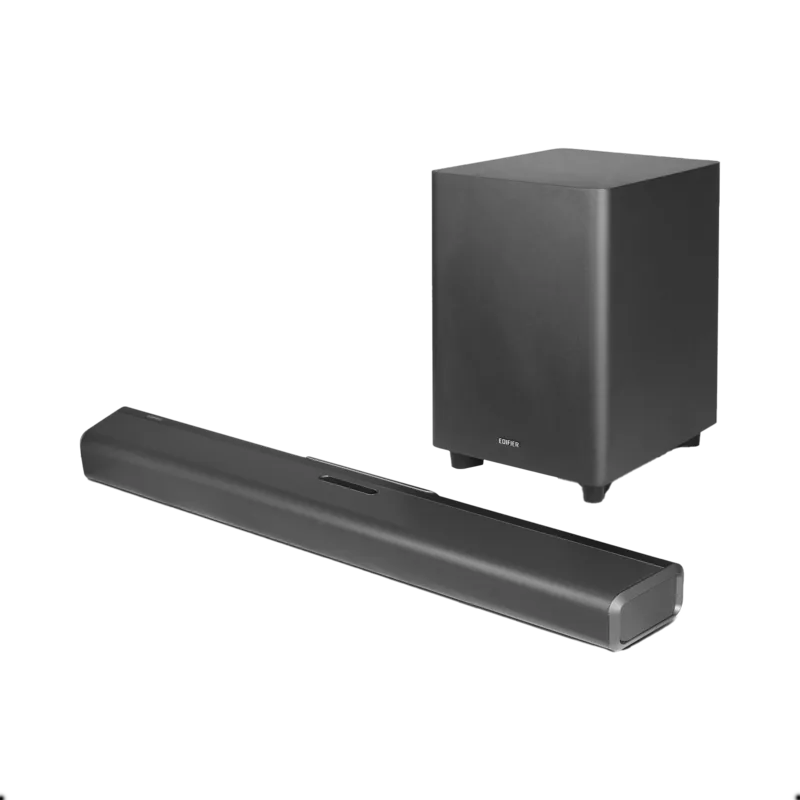
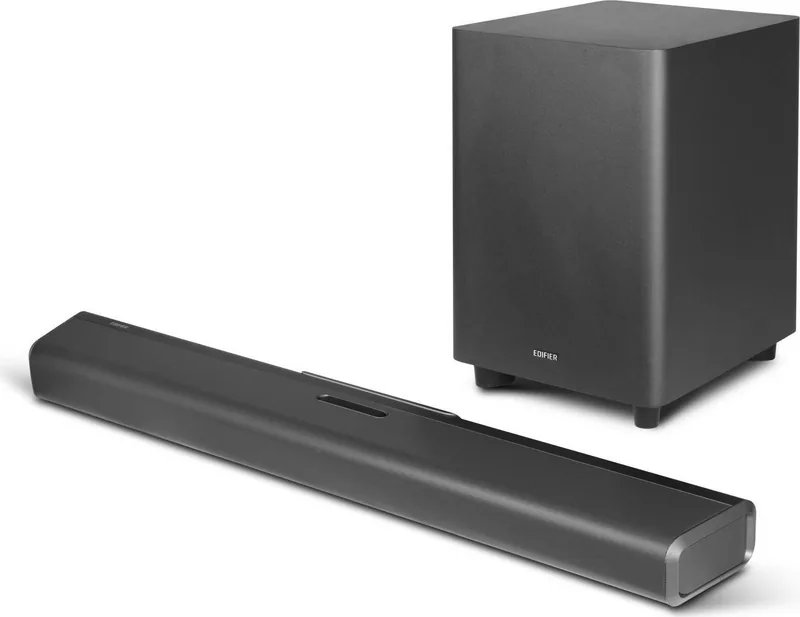
Visão geral do Edifier B700

O entretenimento em casa evoluiu significativamente, e o Edifier B700 se destaca como uma solução de soundbar primordial para audiófilos e espectadores casuais. Este dispositivo transforma o áudio padrão da televisão em uma experiência cinematográfica sem exigir configurações complexas ou alto-falantes adicionais para cada parede. O soundbar entrega áudio rico e detalhado que preenche o ambiente, tornando as noites de filmes e sessões de jogos significativamente mais imersivas. Seja assistindo filmes repletos de ação ou ouvindo música através de um serviço de streaming, a clareza fornecida garante que cada diálogo e nota de trilha sonora seja ouvida com precisão. A tecnologia integrada suporta formatos avançados como Dolby Atmos, criando uma paisagem sonora tridimensional que envolve o ouvinte com posicionamento de áudio realista.

Opções de Conectividade e Entrada

Entusiastas de áudio apreciarão as opções completas de conectividade disponíveis neste sistema. Ele suporta conexões HDMI ARC e eARC, o que simplifica o processo de conexão a televisores modernos enquanto permite o controle de volume através do controle remoto da TV. Você também pode utilizar as entradas HDMI 1 e HDMI 2 para outros dispositivos como consoles de jogos ou reprodutores de DVD, garantindo compartilhamento flexível de mídia. Para configurações mais antigas, as entradas ópticas e coaxiais permanecem totalmente funcionais, garantindo ampla compatibilidade entre diferentes fontes de mídia e equipamentos antigos. Ao acessar o Manual do Edifier B700, você encontrará guias detalhados sobre como alternar entre essas entradas sem usar o controle remoto e botões da interface.

Streaming Sem Fio e Desempenho de Áudio

Liberdade sem fio é outro destaque deste sistema de áudio que prioriza a conveniência do usuário acima da desordem. O módulo Bluetooth integrado permite streaming sem esforço de smartphones ou tablets sem fios enrolados atrapalhando sua configuração. Suporta os perfis A2DP e AVRCP, garantindo transmissão de música de alta qualidade e capacidades de controle de faixa. Além disso, a unidade inclui um subwoofer dedicado que lida com frequências baixas efetiva e independentemente. Esta unidade de baixo sem fio se conecta ao soundbar principal e fornece resposta de graves profunda e forte que alto-falantes de TV padrão simplesmente não podem igualar por conta própria.

Considerações de Segurança e Instalação

Segurança e instalação são consideradas cuidadosamente no design deste produto para prevenir acidentes e garantir longevidade. O kit inclui tudo o necessário para fixação na parede, tornando a instalação que economiza espaço uma possibilidade para muitas salas de estar com espaço limitado no chão. No entanto, os usuários devem notar que os parafusos fornecidos são melhor adequados para paredes de concreto ou tijolo, então a instalação em drywall pode exigir assistência profissional para garantir integridade estrutural. O sistema também apresenta vários modos de som otimizados especificamente para discurso, música e cenários de jogos para se adequar a diferentes tipos de conteúdo. O adaptador de energia é projetado para compatibilidade de voltagem global, e ele avisa contra uso perto de água ou fontes de calor para prevenir riscos elétricos. Se você encontrar qualquer problema ou exigir assistência adicional sobre procedimentos de pareamento ou solução de problemas, consultar a documentação oficial é recomendado. Em última análise, esta configuração oferece uma plataforma robusta para atualizar seu ambiente de áudio doméstico eficientemente e com segurança.

M: QW-35-FL

© Copyright 2026 Manual.ly